| Today when I was trying to deploy a Report project using SQL Server 2008 BIDS (Business Intelligence Development Studio), I receieved the following error: Microsoft Report Designer Could not connect to the report server http://computername:8080/ReportServer. Verify that the TargetServerURL is valid and that you have the correct permissions to connect to the report server. Additional information: The operation has timed out (System.Web.Services) 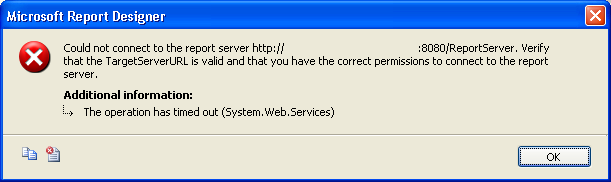 And the deployment of the project failed. I examined the rsreportserver.config located on the \Program Files\Microsoft SQL Server\MSRS10.MSSQLSERVER\Reporting Services\ReportServer directory and found SSL was configure on the report server. I edited the rsreportserver.config file, and changed the key <Add Key="SecureConnectionLevel" Value="2"/> to <Add Key="SecureConnectionLevel" Value="0"/>. Then I was able to deploy the report project succesfully. ------ Build started: Project: MorilloBasicTableReport, Configuration: Debug ------ Build complete -- 0 errors, 0 warnings ------ Deploy started: Project: MorilloBasicTableReport, Configuration: Debug ------ Deploying to http://computername:8080/ReportServer Deploying report '/MorilloBasicTableReport/Sales by Area'. Deploying report '/MorilloBasicTableReport/Sales Orders'. Deploy complete -- 0 errors, 0 warnings ========== Build: 1 succeeded or up-to-date, 0 failed, 0 skipped ========== ========== Deploy: 1 succeeded, 0 failed, 0 skipped ========== |
Showing posts with label Could not connect to the report server.. Show all posts
Showing posts with label Could not connect to the report server.. Show all posts
Monday, June 25, 2012
Could not connect to the report server.


Subscribe to:
Posts (Atom)